The user manual for your home
Stu builds a maintenance plan for your house, tells you what's due, shows you how to do it, and keeps a record of everything that's been done. Good stewardship starts with knowing what your home needs.
App Store reviews
As a new homeowner I've been loving using Stu. You don't know what you don't know, and Stu takes an inventory of my systems and creates the list of tasks for me.
Love the clean design, easy navigation, and thoughtful details. Having one place to keep track of home tasks and details has made me feel so much more organized!
Maintenance becomes reactive without a system
Most homes don't fail from one big event. They decay slowly through forgotten filters, ignored leaks, and deferred inspections. When a contractor asks "when was this last done?", most homeowners can't answer. Stu is built to solve that before it starts.
A plan tailored to your home
Describe your home
Enter the basics: your location and the major systems you have. Stu uses this to build a plan that fits your house.
Get a maintenance plan
Stu generates a tailored list of recurring tasks--what to do, how often, and when--based on your home.
See what's due
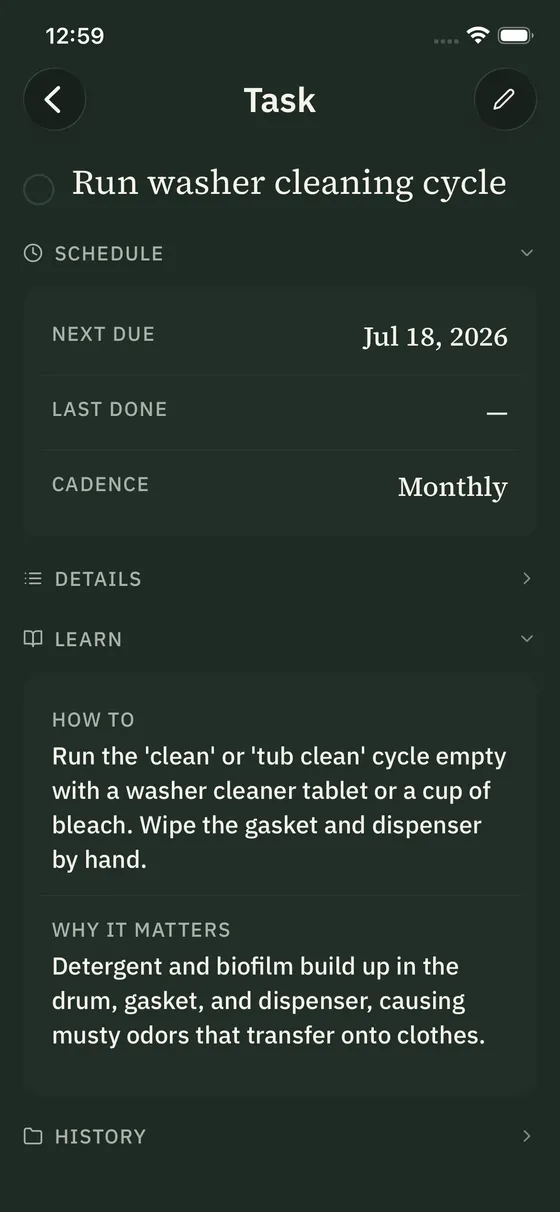
Open the app and see exactly what needs attention this week. Each task explains how to do it and why it matters.
Record what's done
Mark tasks complete to build a log of your home you can refer back to.
Your household ledger
A record of your whole house: what's due, what's been done, and how every system is holding up.
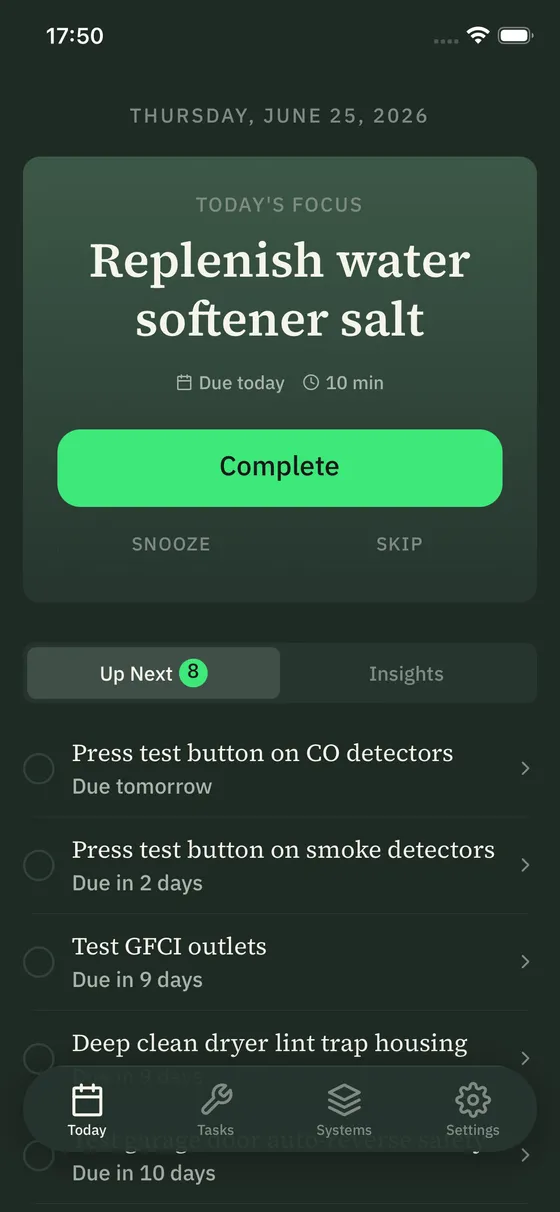
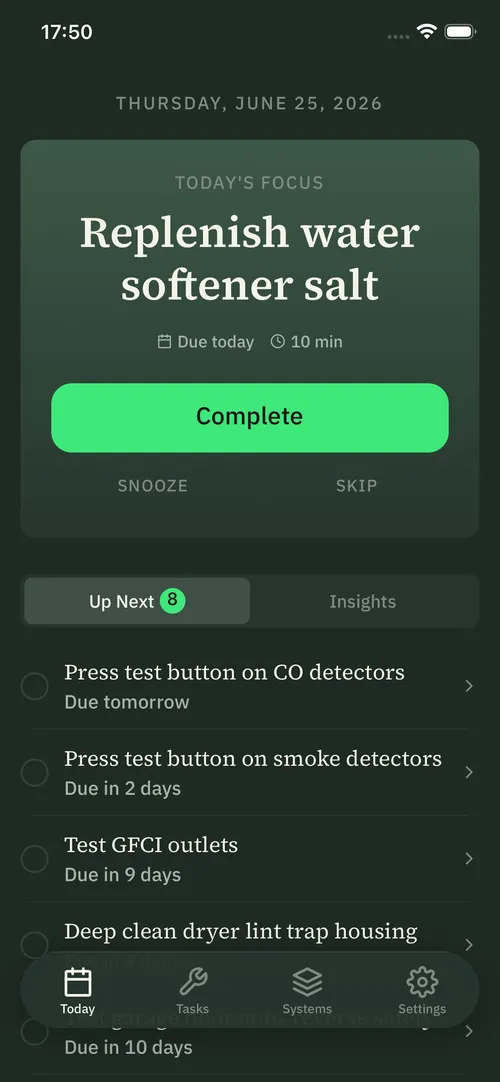
What your house needs
Open Stu and you see only what's due now. No dashboards to tend, no backlog guilt.
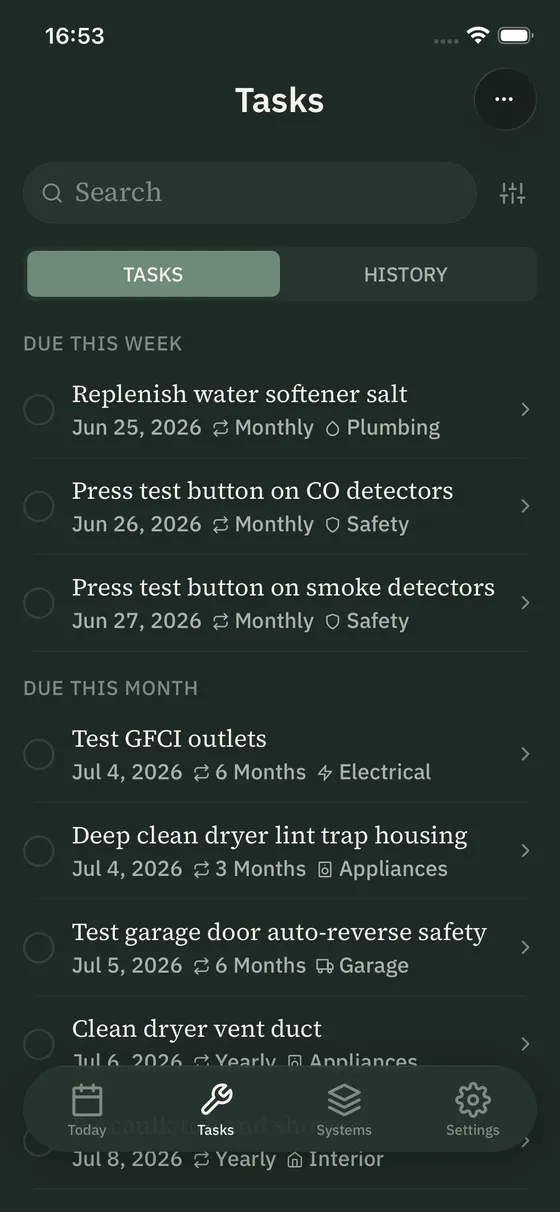
Your plan, season by season
Every recurring task, grouped by what's due. Filter by system or by season to see what you care about.
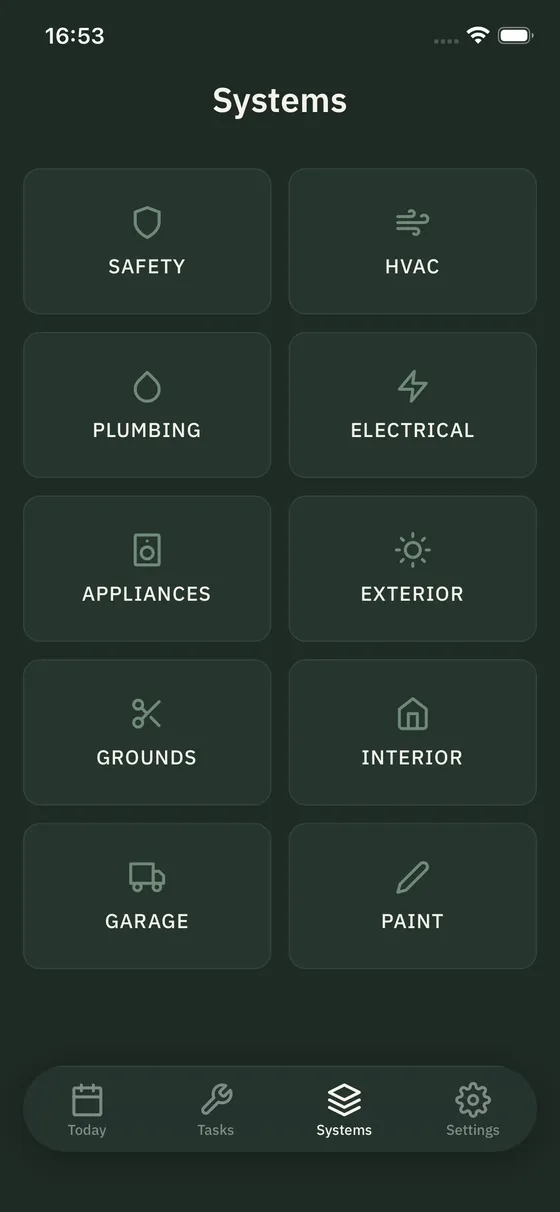
Every system, from HVAC to paint
See your home the way Stu does: ten systems, each with its own components, tasks, and service history, so nothing falls through the cracks.
Know how and why
Every task includes instructions and the reasoning behind it, so you learn as you go. The same guides are in the Knowledge Base.
How Stu helps
Tailored to your home
Generated from your location and the systems you actually have. Not a generic checklist.
One notification per week
Recurring tasks surface the week they're due. One notification, not a flood.
Every completed task is logged
Mark a task done and it joins your home's history; the answer to "when was this last serviced?"
Your records go with you
Sign in on a new phone and your plan and history come back. Export everything as a CSV any time.
Cost tracking
Log what maintenance and repairs cost, so you can see what your home needs over time.
Most home maintenance apps are built to hand you off to a contractor. Stu is built to make you capable. It explains how each task is done and why it matters, so you can handle most of it yourself and know when a job really needs a pro.
Subscribe to responsible homeownership
$24.99/year
About $2.08 a month. Save 30% over monthly.
$2.99/month
Pay as you go. Cancel anytime.
Both plans include the full app: your maintenance plan, weekly reminders, step-by-step instructions, the maintenance log, cost tracking, and backup. Billed through the App Store.
How much does Stu cost?
Stu is available by subscription: $24.99/year or $2.99/month.
Do I need an account?
Yes. Stu requires an account, created with just your email address (no password). This lets Stu back up your data so you don't lose it if you lose your phone.
What data does Stu collect?
Stu collects your email address to create your account, and backs up your home profile, maintenance tasks, and completion history to Quickhatch's servers so it can be restored on a new device. It also stores your subscription status and plan, and collects usage analytics through PostHog, tied to your account ID rather than your email, to help improve the product. See the Privacy Policy for details.
What kinds of tasks does Stu include?
Stu generates recurring maintenance tasks for Safety, HVAC, Plumbing, Electrical, Appliances, Exterior, Interior, Grounds, Garage, and Paint. Tasks are based on your home profile and tailored to what you have. You can also add your own custom tasks.
Can I add custom tasks?
Absolutely! Every home is different, so add or edit as many tasks and components as you like to make Stu's manual match yours.
Does Stu tell me how to do the tasks?
Yes. Each task in Stu includes instructions explaining how to complete it and why it matters.
Is Stu available on Android or iPad?
No. Stu is iPhone only. Android and iPad are not currently supported.
Can I export my data?
Yes. Stu lets you export your home history as a CSV from Settings at any time.
How is Stu different from a home warranty?
Stu is a home maintenance app, not a warranty or insurance product. It helps homeowners prevent problems through a maintenance plan, home history, and cost tracking.
What happens to my data if I stop using Stu?
Your data stays on your device and in your account's backup until you delete it. You can export your home history as a CSV at any time, and you can permanently delete your account and its backed-up data from Settings.
How does Stu build my maintenance plan?
Stu asks about your home's location and major systems during setup. It uses that profile to generate a maintenance plan tailored to your specific home.
What systems does Stu cover?
Stu generates maintenance tasks for Safety, HVAC, Plumbing, Electrical, Appliances, Exterior, Interior, Grounds, Garage, and Paint.
Is Stu good for first-time homeowners?
Yes. Stu is designed for homeowners who want a simple system rather than a complicated one. It surfaces home maintenance reminders based on your home, so you don't have to figure out what to track.
What is a home maintenance log?
A home maintenance log is a record of completed maintenance tasks for your home: when filters were changed, when systems were serviced, and what work has been done. Stu builds this log automatically as you mark tasks complete.
Learn what your house needs
Leave your email for occasional product updates and tips.
You're subscribed. We'll be in touch.
Something went wrong. Please try again.
Stu is short for steward, someone who takes care of what they have and passes it on in better shape than they found it. Stu is a home maintenance app for iPhone, built by Quickhatch, that helps you be exactly that: a more capable, confident homeowner.
Read the story →